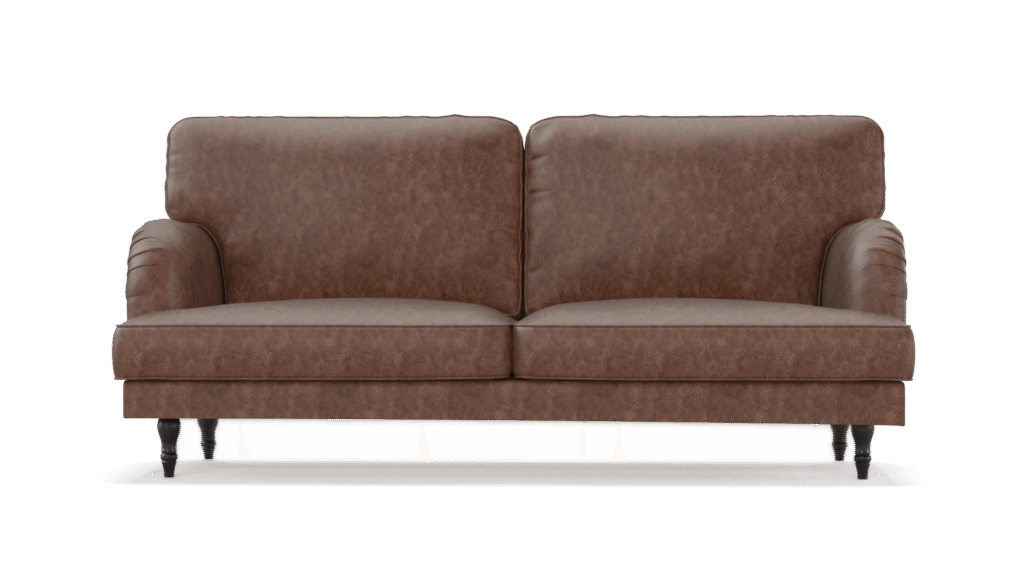
In today’s digital-first world, consumers expect more than just a catalog or a few high‑quality photos, they want an immersive experience. For furniture brands, that means bridging the gap between imagination and reality. Enter AR modeling for furniture design, which enables shoppers to preview custom furniture inside their own space before buying.
Traditional images, catalogs, or even 360° spin views are limited. They can’t fully convey scale, context, or how a piece interacts with surrounding décor. This leads to hesitation, returns, and missed sales. By contrast, AR modeling empowers users to project 3D furniture models into real environments, letting them walk around the piece, change finishes, and test configurations in real time. As e‑commerce continues to mature, AR is fast becoming a key tool for raising buyer confidence and converting visual ideas into purchases.
Understanding AR Modeling:
The Technology Behind the Magic
Augmented reality (AR) refers to overlaying digital content — often 3D models — onto the real world, typically via a smartphone or tablet camera view. Unlike virtual reality (VR), which immerses users in a completely digital environment, AR mixes virtual objects with the physical world.
Here’s how AR modeling for furniture design works under the hood:
- Surface detection & tracking: Using device sensors, AR engines detect surfaces (floors, walls, tables) and anchor 3D models onto them.
- Model anchoring & SLAM: Simultaneous Localization And Mapping (SLAM) allows the system to track the device’s position and keep virtual objects stable in the real-world scene.
- Real-time rendering & interaction: Users can tap to move, rotate, or scale furniture models and switch materials or configurations on the fly.
- Lighting, occlusion, and shadows: Advanced AR systems mimic real lighting and shading so virtual furniture blends more convincingly with its surroundings.
Modern AR development often uses frameworks like ARKit (for iOS) or ARCore (for Android), and browser-based WebAR experiences are increasingly common too. The key is enabling fluid interactions without perceptible lag or drifting.

Why Furniture Brands Are Embracing
AR Modeling Tools
Furniture companies are adopting AR modeling for many compelling reasons:
- Boost engagement & dwell time
Interactive 3D furniture models invite customers to stay engaged longer — they explore finishes, configurations, and placements — which often correlates with higher conversion rates. - Raise buyer confidence & reduce doubts
Seeing furniture in one’s own space helps eliminate uncertainty. Brands that offer AR experiences often see fewer abandoned carts and reduced hesitation. - Differentiate in a crowded market
Many furniture retailers still rely on static visuals. AR gives forward‑thinking brands a premium, modern edge. - Lower return rates & reverse logistics costs
One of the biggest challenges in furniture e‑commerce is handling returns when customers realize an item doesn’t fit or clash with their space. AR helps preempt that by letting buyers preview beforehand. Studies show AR adoption can reduce returns significantly. → HQSoftware - Streamline offline-to-online bridging
In physical showrooms, AR can offer virtual variations of a displayed piece (e.g., alternate fabrics) without needing to stock every option. As Shopify notes, AR can be used in showrooms and online for a seamless omnichannel experience. → Shopify
How AR Helps Showcase
Custom Furniture Designs in Real Environments
The real strength of AR modeling for furniture design lies in enabling customers to experiment — not just passively view.
- Switch materials, colors, and configurations in real time
A sofa can instantly shift from leather to fabric, change leg styles, or extend seat modules. This dynamic customization fosters deeper user interaction and design engagement. - See furniture at real scale in real rooms
AR ensures true-to-life dimensions, so users know if a table genuinely fits the space in front of them. This spatial awareness transforms vague judgments into confident decisions. - Collaborate with designers or clients
Designers and customers can view the same AR model together, either in‑person or remotely, making changes together and refining concepts interactively. - Test design variants before production
Because AR uses optimized 3D assets, brands can preview multiple design versions without investing in physical prototypes.
By giving users the ability to preview furniture in their own context, AR makes custom design accessible, tangible, and less risky.

AR vs Traditional Visuals: What Makes AR More Effective?
| Aspect | Traditional (Photos, 360 Spinners, Catalogs) | AR Modeling |
|---|---|---|
|
Static vs interactive |
Fixed views, limited perspectives |
Full manipulation and rotation |
|
Contextual visualization |
Contextless rooms with staging |
Real-world placement in the user’s own room |
|
Emotional connection |
Requires imagination |
Immersive, spatial presence |
|
Scale uncertainty |
Hard to judge real size |
True scale overlay |
|
Likelihood of return |
Higher due to mismatch |
Lower, thanks to accurate preview |
Photos and 360° spins are helpful, but they don’t give spatial or contextual insights. AR’s real-time spatial awareness and context-based viewing foster an emotional connection. Because users “see before they buy,” brands that adopt AR often see fewer returns and more satisfied customers.

Enhancing the Customer Experience Through
Interactive AR Visualization
When done well, AR modeling for furniture design elevates the entire shopping journey:
- “See‑before‑you‑buy” confidence
Users feel more grounded in their decisions because they’ve previewed the item in their space. - Stronger emotional connection
When a piece appears “in your home,” it feels more real — increasing the sense of investment and ownership. - Faster decision making
Shoppers waste less time second‑guessing. AR helps them narrow choices and move toward purchase with less friction. - Delight & shareability
Users often take snapshots or share AR previews with friends for feedback — turning shoppers into brand advocates. - Reduced buyer’s remorse
When reality matches expectation, satisfaction rises and negative feedback or returns drop.
For furniture brands, offering this level of personalization and visualization isn’t just a novelty — it becomes a critical part of the brand experience.
What You Need to
Build AR Models for Furniture
To execute AR modeling for furniture design successfully, several technical requirements must be met:
- High-quality 3D models
Furnished with clean meshes, proper UV mapping, and PBR (Physically Based Rendering) textures. Models must accurately reflect geometry, materials, and scale. - Optimization & Level of Detail (LOD)
Use polygon budgets, simplify geometry for mobile, create multiple LODs, and optimize texture resolutions to balance fidelity and performance. - Material fidelity, normal maps & texture maps
Correct normal maps, roughness maps, and albedo textures help maintain photorealism in AR scenes. - File formats & AR-friendly standards
Common formats include glTF / GLB and USDZ (especially for iOS). Using formats optimized for AR ensures compatibility. - AR frameworks / SDKs
Choose between ARKit, ARCore, or WebAR. WebAR offers browser-based AR without needing an app. - Asset pipeline & integration
You need a workflow to convert high-fidelity renders into AR-ready assets, including optimization, metadata annotation, and packaging. - User interface & configurator logic
Build UI for variant selection (colors, sizes, modules) that syncs dynamically with the AR model. - Performance & memory management
Streaming assets, compressed textures, and avoiding overdraw are crucial to reduce lag, crashes, or drift.
Without solid foundations in modeling and optimization, AR experiences can feel janky or broken — undermining trust instead of building it.
Common AR Implementation Challenges
(and How to Solve Them)
Implementing AR is rewarding — but it comes with real hurdles. Here are key challenges and strategies to overcome them:
| Challenge | Why It Matters | Solutions / Mitigations |
|---|---|---|
|
High upfront cost |
AR development, modeling, and pipeline setup require investment |
Start with MVP features, use AR platforms or libraries, or partner with experienced AR/3D vendors |
|
Device fragmentation & performance variance |
Not all devices support advanced AR features or run complex scenes smoothly |
Use asset fallback strategies, test across device tiers, optimize LODs and texture compression |
|
Large asset sizes & long load times |
Heavy models and textures can stall or fail to load |
Use progressive loading, streaming, compressed textures, and modular assets |
|
Drift, alignment, and tracking issues |
Poor anchoring or surface detection degrades AR experience |
Rely on SLAM, refine calibration, provide manual adjusters (snap-to-grid), and use device motion smoothing |
|
Cross-platform compatibility |
iOS, Android, and web AR differ in support |
Use cross-platform AR frameworks and test broadly |
|
Content scalability |
For large catalogs, creating AR variants for every product is laborious |
Automate pipeline via scripts, re-use base geometry, and prioritize hero SKUs |
|
ROI skepticism |
Stakeholders may question investment vs payoff |
Pilot with high-margin SKUs, track AR engagement metrics, and measure reductions in returns or increases in conversion |
Many successful furniture brands begin with a limited AR rollout and scale based on usage and feedback. Incremental adoption often yields the most sustainable path.
How AR and 3D Furniture Rendering Work Together
AR modeling for furniture design is built on a strong foundation of 3D rendering and visualization. Here’s how the two intersect:
- Render-to-AR workflow
High-fidelity renders, material setups, and lighting configurations from 3D rendering projects become the inputs for AR models. The same texture maps and material logic apply. - Texture baking & material consistency
Baking lighting and ambient occlusion into textures ensures AR assets look visually consistent, especially on less capable devices. - Asset reuse & versioning
Render assets can be repurposed for AR, VR, catalog images, and marketing visuals — allowing efficiency and consistency across channels. - Quality assurance
Rendering studios often rigorously test materials, shadows, and reflections — which helps AR teams avoid visual artifacts and maintain realism. - Feedback loop
AR user data (which variants customers interact with most) can inform which rendering variants to prioritize for marketing or catalog photography.
By deeply integrating 3D rendering and AR modeling efforts, furniture companies can streamline content creation, maintain visual consistency, and support more scalable product visualization strategies.
Conclusion & Next Steps
AR modeling for furniture design is not just a trend — it’s a transformative tool that bridges the gap between imagination and reality. It empowers shoppers to visualize, interact, and customize furniture before purchasing — boosting engagement, reducing returns, and strengthening customer trust.
If you’re a furniture brand or design firm, here’s what to do next:
- Audit your current 3D rendering/asset pipeline and assess AR readiness.
- Select a pilot SKU or product line to launch your first AR experience.
- Partner with 3D/AR specialists to build optimized assets and infrastructure.
- Track metrics: AR engagement, conversion lift, return rate differential.
- Iterate and expand to more products, refine UX, and integrate with your e‑commerce platform.
The future of furniture e‑commerce is immersive and interactive — and brands that embed AR early will lead the pack.
FAQ
AR still requires investment in modeling, optimization, and integration. But modern AR platforms and plug-ins (or incurring a limited pilot scope) reduce the barrier to entry. The ROI typically comes from higher conversion, fewer returns, and elevated brand perception.
Most modern iOS devices support ARKit; Android devices with sufficient sensors support ARCore. WebAR enables browser-based AR on capable mobile browsers. However, older devices may struggle with performance or lack full AR features.
Yes — several case studies and industry reports indicate brands using AR see meaningful reductions in returns, especially from issues related to size, scale, or style mismatch.
For a single product (with variants), building an AR‑ready 3D model might take anywhere from several days to a few weeks, depending on complexity, texture quality, and optimization needs.