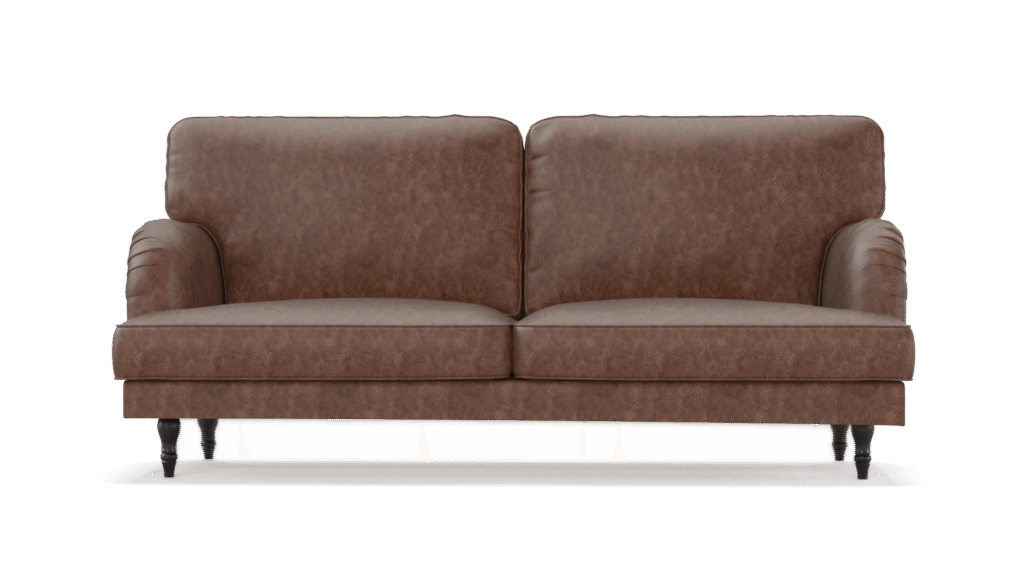
In 2025, the 3D rendering landscape has evolved dramatically, with more tools offering real-time feedback, AI-assisted rendering, and ultra-realistic outputs. Whether you’re working in architecture, product design, visual effects, or animation, the right software can drastically improve your creative process and final results.
To help you navigate the options, we’ve curated a list of the top 10 3D rendering software tools 2025 that stand out this year. This guide covers performance, compatibility, pricing, and suitability across various industries, so you can find the perfect tool for your specific needs.
What to Look for in
3D Rendering Software in 2025
When choosing a rendering solution in 2025, consider the following key aspects:
- Rendering Quality: Look for advanced features like ray tracing, global illumination, and physically based rendering (PBR).
- Performance: GPU acceleration, AI denoising, and real-time rendering capabilities are crucial for speeding up workflows.
- Ease of Use: Clean UI, simple integration with modeling software, and low learning curves.
- Compatibility: Ensure it works smoothly with software like Blender, Maya, SketchUp, Revit, or Cinema 4D.
- Price Model: Subscription, perpetual license, free or freemium.
- Support & Community: Rich documentation, tutorials, and active forums can be a huge plus.
Top 10
3d Rendering Software 2025
1. V-Ray (Chaos Group)
Still one of the most powerful renderers in the industry, V-Ray in 2025 introduces even more AI-driven denoising, Chaos Cloud rendering enhancements, and native support for RTX 5000 GPUs.
- Best For: Architectural visualization, product rendering, interior scenes.
- Strengths: High photorealism, wide software integration (3ds Max, SketchUp, Maya).
- Pricing: Starts at ~$60/month (subscription model).
- New in 2025: Smart light sampling and hybrid rendering support.

2. Autodesk Arnold
Arnold remains a favorite for film and animation rendering, known for its high-quality CPU rendering and now, faster GPU capabilities.
- Best For: VFX, animated films, character rendering.
- Strengths: Seamless integration with Maya, 3ds Max, Houdini.
- Pricing: Included with Autodesk tools; standalone available.
- New in 2025: Enhanced support for USD workflows and GPU rendering optimization.

3. Blender (Cycles X)
Blender’s open-source nature makes it a go-to tool for indie designers. The Cycles X engine now offers real-time previews, Metal GPU support, and significant render speed increases.
- Best For: Freelancers, hobbyists, educators.
- Strengths: Completely free, active global community, rapid updates.
- Pricing: Free.
- New in 2025: Full Apple Silicon optimization and advanced noise filtering.

4. Lumion Pro
Lumion brings architectural scenes to life with intuitive real-time rendering. In 2025, it adds AI lighting suggestions, sky blending, and LiveSync 2.0 for real-time model updates.
- Best For: Architects, landscape designers.
- Strengths: Easy to use, fast output, strong visual quality.
- Pricing: One-time license or annual plan (~$1,800/year).
- New in 2025: AI-driven scene enhancements and volumetric fire/light effects.

5. Enscape
Designed for architectural walkthroughs, Enscape provides real-time VR-ready rendering. It works as a plugin for Revit, SketchUp, ArchiCAD, and Rhino.
- Best For: Revit users, interior rendering, landscape visualization.
- Strengths: Live updates, easy interface, fast exports.
- Pricing: Starts at ~$74/month.
- New in 2025: Real-time pathfinding in VR walkthroughs and scene intelligence tools.

6. OctaneRender
Built for GPU-accelerated photorealism, Octane is known for unbiased rendering and full spectral lighting. The 2025 version supports the latest RTX 5000 series with improved speed and realism.
- Best For: Product visualization, animation, visual effects.
- Strengths: Node-based material editor, GPU acceleration.
- Pricing: ~$20/month; free version available for Blender.
- New in 2025: OCIO v2 support and multi-GPU scaling.

7. Redshift
Redshift balances speed and quality, now offering hybrid CPU+GPU rendering. It’s popular with motion graphics artists using Cinema 4D.
- Best For: Motion design, animation studios.
- Strengths: Speed, Cinema 4D integration, flexible shading.
- Pricing: ~$45/month (part of Maxon One).
- New in 2025: Redshift RT with real-time rendering previews.

8. KeyShot
KeyShot simplifies rendering for product designers. Its real-time ray tracing and drag-and-drop materials make it accessible for fast turnarounds.
- Best For: Industrial and product designers.
- Strengths: Fast, easy to learn, accurate lighting and materials.
- Pricing: Starts at ~$99/month.
- New in 2025: Web Viewer 2.0, RealCloth 3.0, and transparent material support.

9. Unreal Engine 5.4 (Path Tracer)
Unreal Engine blends real-time interactivity with cinematic-quality rendering. Its Path Tracer enables film-level visuals inside a game engine environment.
- Best For: Game developers, virtual production teams.
- Strengths: Free, highly customizable, real-time previewing.
- Pricing: Free; royalties for commercial games apply.
- New in 2025: Lumen with hybrid GI and dynamic lighting enhancements.

10. D5 Render
A rising star in real-time visualization, D5 Render is lightweight, efficient, and now offers AI texture prediction and voice-activated navigation.
- Best For: Small studios, beginners, budget-conscious professionals.
- Strengths: Easy learning curve, smooth performance on mid-range PCs.
- Pricing: Free version; Pro starts at ~$15/month.
- New in 2025: RTX GI lighting and advanced terrain system.

2025 3D Rendering Software
Comparison Chart
| Software | Ideal Use Case | Pricing | Real-Time | GPU Support | AI Features | 2025 Highlight |
|---|---|---|---|---|---|---|
|
V-Ray |
Architecture/Product |
$60/mo |
No |
Yes |
Yes |
Smart lighting, hybrid rendering |
|
Arnold |
VFX/Film/Animation |
Included |
Limited |
Yes |
No |
USD workflows, GPU optimization |
|
Blender (Cycles) |
General use/Indie |
Free |
Yes |
Yes |
Yes |
Metal support, AI denoising |
|
Lumion |
Architecture |
$1,800/year |
Yes |
Partial |
Yes |
AI lighting, LiveSync 2.0 |
|
Enscape |
Arch/Interior Design |
$74/mo |
Yes |
Yes |
Yes |
VR pathfinding, intelligent updates |
|
OctaneRender |
Product/VFX |
$20/mo |
No |
Yes |
No |
RTX 5000 support, OCIO v2 |
|
Redshift |
Motion Graphics |
$45/mo |
Yes (RT) |
Yes |
Limited |
Hybrid rendering, Redshift RT |
|
KeyShot |
Product Design |
$99/mo |
No |
No |
No |
RealCloth 3.0, Web Viewer |
|
Unreal Engine |
Games/Film/Virtual Prod. |
Free |
Yes |
Yes |
Yes |
Lumen, Path Tracer |
|
D5 Render |
ArchViz (budget) |
Free/$15/mo |
Yes |
Yes |
Yes |
AI texture prediction, RTX GI |
Buyer’s Guide: Which Renderer Fits You Best?
If you are…
- An architect → Try V-Ray, Lumion, or Enscape
- A VFX artist → Go for Arnold or Redshift
- A product designer → Consider KeyShot or OctaneRender
- On a budget → Use Blender or D5 Render
- Working in real-time/interactive → Unreal Engine or D5 Render
- Needing fast results → KeyShot or Enscape
For a detailed overview of how rendering technologies are shaping design workflows across industries, check out Autodesk’s 2025 State of Design & Make Report
Click HereConclusion
Choosing the right 3D rendering software in 2025 means balancing power, usability, and your creative goals. Whether you’re crafting cinematic visuals, prototyping a new product, or designing an immersive VR experience, one of these top tools will serve you well.
Don’t rely on hype—test demos, evaluate compatibility with your workflow, and consider your long-term needs. The future of rendering is fast, flexible, and more intelligent than ever.